splitforms.com
New — connect your AI. Ask ChatGPT or Claude and MCP builds & wires up your form for you.

Free Contact Form API for Any Website

Connect your HTML contact form to SplitForms and receive submissions directly in your inbox. No backend code, PHP, or server setup required.

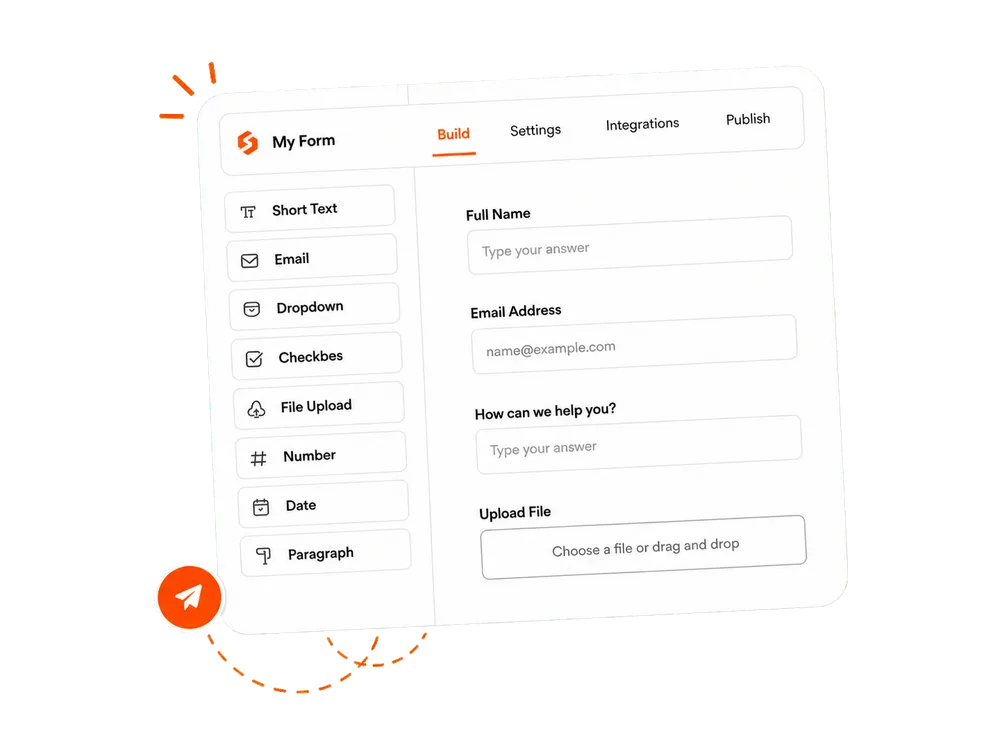
SplitForms form builder showing fields and form settings
Sign up with Google
OR
Sign up with Email

No credit card required. It’s free!

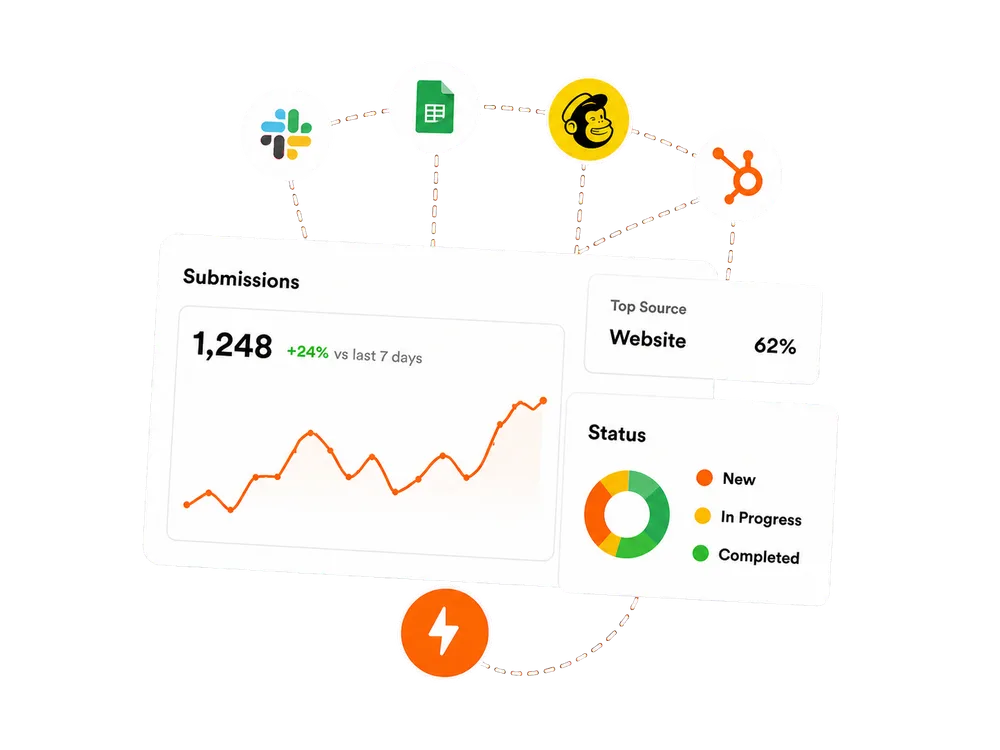
SplitForms submission analytics and connected integrations
Simple API integrationSpam protectionNext.js, AI-generated and vibe-coded websites

WHY TEAMS CHOOSE SPLITFORMS

Everything your form needs after submit.

SplitForms handles what happens next — submissions, routing, spam filtering, file uploads, and integrations. So your team can focus on what matters.

SSplitForms

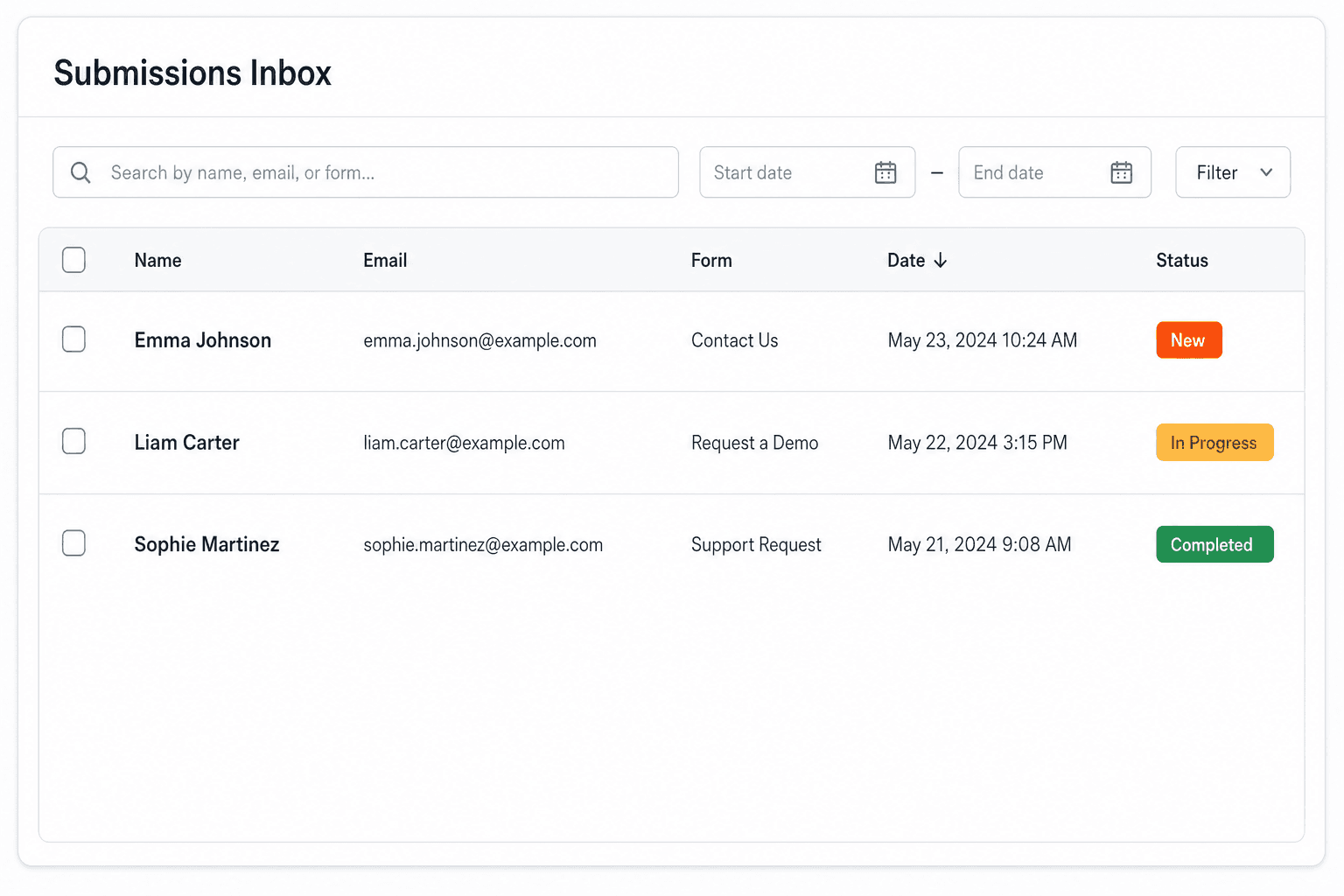
Submissions Inbox demo

All incoming form submissions in one place.

⌕ Filters□ Date range
NameEmailFormStatus
Jane Cooper[email protected]Contact FormNew
Cody Fisher[email protected]NewsletterIn progress
Esther Howard[email protected]Project inquiryCompleted

Submissions · 7 days

1,248↗ 24%

Delivery rate

99.9%Healthy

Spam blocked

86Automatically

Form to Email

Instant email notifications for every new submission.

Submissions Dashboard

View, search, and manage submissions in one place.

Spam Protection

Built-in filtering and rate limits help keep your data clean.

File Uploads

Secure file uploads with type, size, and plan limits.

Works with your stack

HTML
React
Next.js
Webflow
WordPress
Zapier

Contact Forms for Modern Websites

Receive HTML contact form submissions directly in your inbox. No server or backend code required.

Create your form

Verify your email and start receiving form submissions. Free forever.

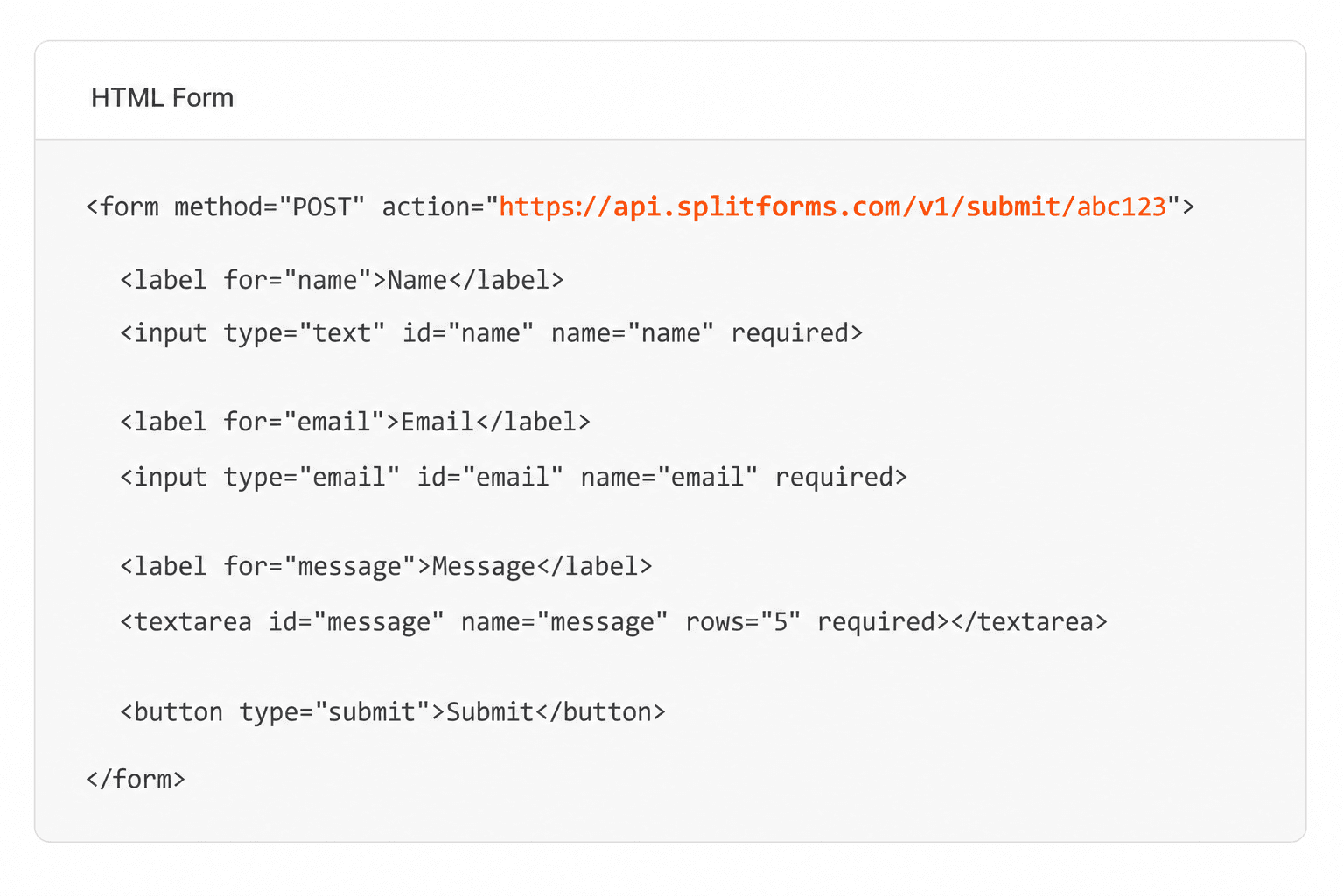
contact.html
<form action="https://splitforms.com/api/submit" method="POST">  <input type="hidden" name="access_key" value="YOUR_ACCESS_KEY_HERE">   <input type="text" name="name" required>  <input type="email" name="email" required>  <textarea name="message" required></textarea>   <button type="submit">Send message</button></form>
  • Secure & reliableYour data is protected and delivered safely.
  • No backend neededJust HTML. No server or backend code.
  • Instant email alertsGet form submissions directly in your inbox.
  • Easy to implement
  • Secure by default
  • Developer friendly
  • Free forever

How SplitForms works

From form to workflow in 3 simple steps.

Connect your form, collect every submission, and send data where it needs to go — without building backend infrastructure.

A SplitForms contact form submission launching straight to your inbox

Add your endpoint

Point your form to your unique SplitForms endpoint. That's it.

HTML form pointing at a SplitForms submit endpoint

Receive submissions

We instantly capture and organize every submission in your inbox.

Submissions inbox with searchable leads and status pills

Route anywhere

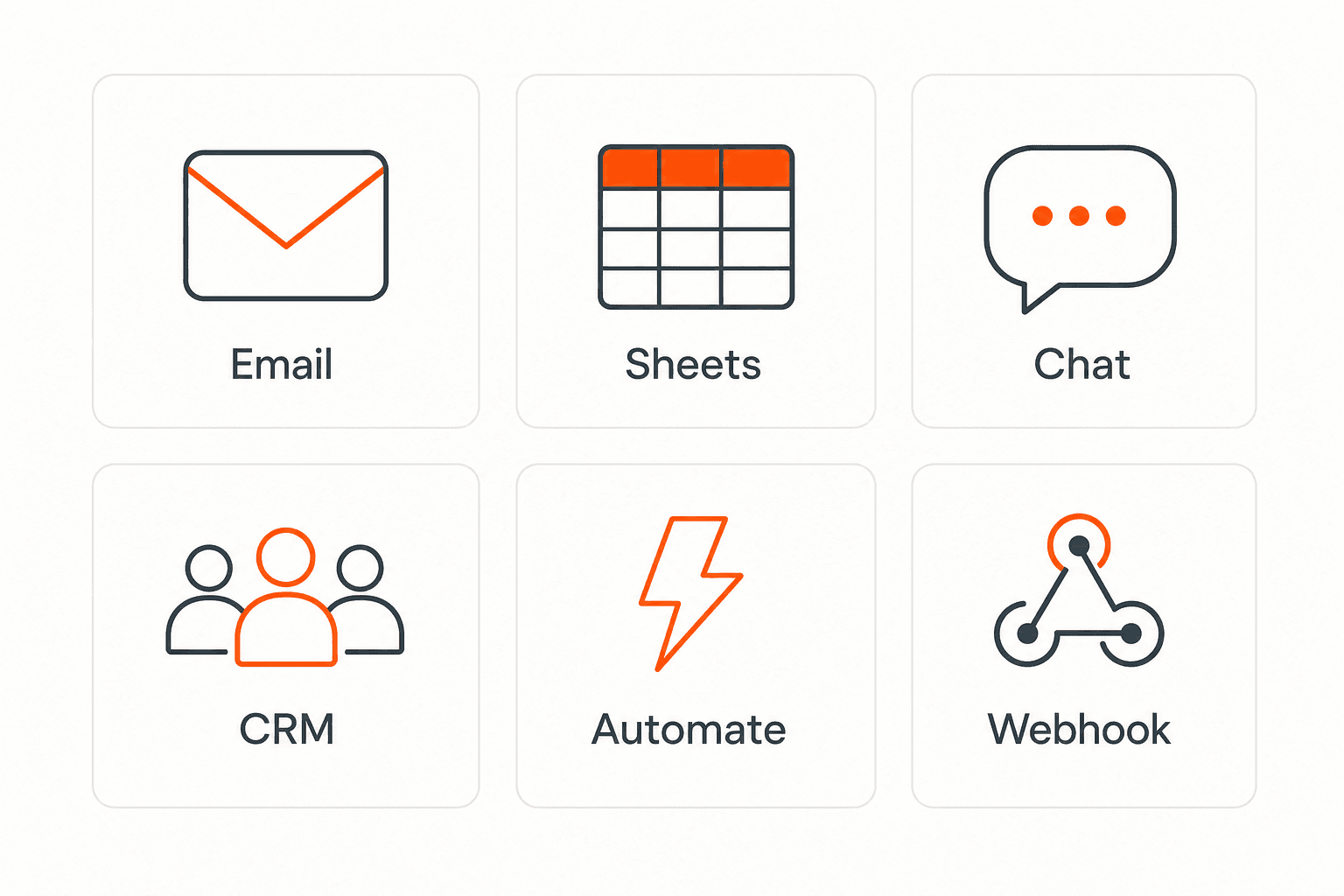
Send data to email, spreadsheets, CRMs, webhooks, and 7,000+ apps.

Generic integration tiles for email, sheets, chat, CRM, automate, and webhook

No credit card required. Set up in under 60 seconds.

Connect & automate

Connect your favorite tools and automate everything

SplitForms works with the destinations you route to and the platforms you build on — from Slack and Sheets to WordPress, Shopify, and Next.js. And with Stripe connected, your forms can take payments too.

Connect your SplitForms form to Slack, Google Sheets, Mailchimp, Zapier and more
NewTake payments on your formsDeposits, bookings, order forms — submitters check out through Stripe and the money goes straight to your Stripe account. Included on every paid plan.See plans →

Trusted by indie teams and agencies shipping forms worldwide

PETAL/COKRAFT.DELINEAR-XBUILD.DEVSTUDIO 71MERIDIANFRAME&CO

Differentiators

Built like infra, priced like a side project.

Six reasons teams switch — clear, quiet, and production-ready.

Agent-ready
MCP

Infrastructure agents can operate.

MCP creates real forms and returns ready-to-paste markup. Pro adds signed webhooks from $5/mo.

Edge API
14ms

Edge-deployed form API.

POST to the nearest of 14 regions. Live dashboard. Free email delivery; paid plans add webhook fan-out.

Private by default
RLS

GDPR-compliant contact form.

Row-level secured Postgres. We can't read submissions. Never trained on. Never sold.

Spam filtered
AI

Junk stopped before your inbox.

Honeypots, timing traps, and AI scoring catch bots. Real leads land; spam is quarantined.

Any stack
6+

One endpoint, every stack.

HTML, React, Next.js, Astro, Webflow, WordPress — one POST URL. No SDK, no lock-in.

Never dropped
100%

Nothing silently dropped.

Stored first, then delivered. Email, CSV, and signed webhooks so leads aren't lost to a 500.

Testimonials

Loved by developers shipping at every scale.

40 quotes on record — from indie hacks to agency migrations.

Simple pricing

Start free. Scale when you need more.

Choose a plan that fits your workflow — from a free form endpoint to full automations, exports, Stripe payments, and higher submission limits.

Free

$0
 

Free forever

Best for testing

For side projects and indie devs.

  • 500 submissions / mo
  • Unlimited forms
  • Email notifications included
  • Honeypot spam filtering
  • Submissions dashboard
  • MCP setup stays free
  • No credit card required

3-Year

$59/ first 3 years
was $99 · save 40% · new-user price

Pay $59. 3 years sorted.

  • 15,000 submissions / mo
  • Unlimited forms
  • Everything in Pro
  • $59 for 3 years, then $59/year
  • Long-term discount
  • Priority support included
  • Vote on the roadmap

No credit card required on Free • Cancel anytime

06Questions12 answered

Frequently
asked.

Anything missing? Email us — we read every message.

A person browsing SplitForms frequently asked questions
Is splitforms.com really a free form backend?

Yes — 500 form submissions per month, unlimited forms, honeypot spam filtering, and the submissions dashboard are included on the free plan. No credit card required, ever. Pro is $5/month when you want exports, webhooks, and integrations.

How is splitforms.com different from Formspree, Web3Forms, Basin, or Getform?

We give you 500 free submissions/month (vs Formspree's 50, Basin's 50, Web3Forms' 250), Pro at $5/mo for 5,000 submissions. The 3-Year plan ($59 for the first 3 years, then $59/year, for 15,000/mo) still has no competitor equivalent.

How do I add a contact form to a static website?

Drop our endpoint into your form's action attribute and add a hidden input with your access key. That's it — works on any static site (Next.js, Astro, Hugo, Gatsby, GitHub Pages, Cloudflare Pages, Netlify, Vercel). No backend code, no PHP, no SDK to install.

Can I use this for my Next.js / React / Astro / Vue project?

Yes. Our form backend API works identically across every framework — HTML, React, Next.js, Vue, Nuxt, Svelte, SvelteKit, Astro, Hugo, Gatsby, Remix. The integration is just a POST request, so anywhere you can submit a form, you can use splitforms.com.

Does splitforms.com work with Webflow, Framer, Carrd, or WordPress?

Yes — Webflow's custom form action setting, Framer's form integration, Carrd's form-to-URL setting, and WordPress (no plugin required) all work. Just point the form action at splitforms.com/api/submit and add the hidden access_key input.

How does the form spam protection work?

splitforms filters spam in layers. Filled honeypot fields and implausibly fast submissions are rejected before storage; suspicious message content is quarantined in the Spam queue so you can review and restore false positives. Owner notification emails work on every plan, and no CAPTCHA is shown unless you enable optional reCAPTCHA.

Can I forward form submissions to Slack, Discord, or Google Sheets?

Yes, on Pro ($5/month) and above. Paste a Slack incoming-webhook URL or Discord webhook URL and we auto-format for that destination, or send raw signed JSON to Zapier, n8n, your own server, or Google Sheets integrations.

Will my form submissions be safe and GDPR-compliant?

Submissions live in Supabase Postgres with row-level security that prevents one customer from reading another customer's rows. Authorized service operators may access data only for support, security, and service operations. We never sell submissions or use them to train models. EU data residency is on the roadmap.

Can I use the same access key on multiple websites?

Yes. Every plan includes unlimited forms — Pro and 3-Year add the volume agencies need for lots of client forms.

What about file uploads on contact forms?

File uploads work through the Storage integration. Use multipart/form-data, connect Storage in the dashboard, and splitforms accepts up to 5 files per submission at 5 MB each. Text-only forms work without any storage setup.

How do I migrate from Formspree, Web3Forms, FormSubmit, or Basin?

Swap the form's action URL to https://splitforms.com/api/submit and replace the access key. Your existing field names work as-is — name, email, message, etc. Migration usually takes under five minutes per form. We have step-by-step guides for each competitor.

Is there an SLA and what's the API uptime?

There is no contractual uptime SLA. The status page explains how to report an issue and where incident updates are published.

Get started

Get your free contact form API key in 60 seconds.

500 free form submissions per month. No credit card. No SDK, no PHP, no plugin. The form backend API for static websites, Next.js, Astro, Webflow, and any HTML form.

POST /api/submit → 200 OK · 14msfounders pricing locked in · early access open

Answers

What SplitForms does — in plain terms.

SplitForms is a free contact form API for HTML, Next.js, React, AI-generated, and vibe-coded websites. Point any form at one endpoint and submissions land in your inbox, dashboard, and integrations — no server or backend code required.

What is SplitForms?

SplitForms is a free contact form API for any website. Point any form — on any stack — at a single endpoint and every submission lands in your inbox, a live dashboard, and your integrations. The hosted endpoint handles receiving, filtering, and storage, so there is no form server or backend route for you to maintain.

How does SplitForms work?

Add a hidden access_key input to your form and set the form action to https://splitforms.com/api/submit. When someone submits, SplitForms stores the entry first and then emails it to you instantly. Nothing gets deployed — the endpoint handles capturing, storing, and routing for you.

Can I use a contact form without a backend?

Yes — SplitForms gives you a contact form without a backend, PHP, or SDK. It is a plain HTML form that posts to one URL, so it works on static sites, no-code builders, and AI-generated or vibe-coded websites. If you can paste a snippet, you can collect submissions.

Does SplitForms work as a contact form API for Next.js and AI websites?

Yes — SplitForms is a contact form API for Next.js, AI-generated websites, and vibe-coded sites. The same POST endpoint also works with HTML, React, Vue, Svelte, Astro, Webflow, Framer, Carrd, WordPress, Shopify, and any static site. There is no plugin lock-in.

Can ChatGPT or Claude build my form for me?

Yes — through MCP, an AI assistant like ChatGPT or Claude can build your form for you. It creates a real, working form and returns ready-to-paste HTML already wired with your access key. You describe what you need and paste the result into your site.

How do I receive form submissions?

Submissions arrive by instant email and appear in your SplitForms dashboard. You can also export them to CSV and, on paid plans, deliver them through signed webhooks and integrations like Slack, Discord, Zapier, Google Sheets, Airtable, and HubSpot. Route each lead exactly where your team already works.

Is SplitForms really free, and what does it cost?

Yes — the free plan is genuinely free: 500 submissions a month, unlimited forms, spam filtering, and no credit card. Pro is $5/mo for 5,000 submissions a month and adds CSV exports, webhooks, and integrations. A 3-year plan is $59 for 15,000 submissions a month across 36 months.

How does SplitForms stop spam?

SplitForms blocks spam with layered defenses — honeypot fields, timing traps, and AI content scoring — that quarantine bots automatically. Optional reCAPTCHA adds another layer when you want it. Real leads still land in your inbox while junk is held back.

Is my data private and secure?

Your submissions are stored in Supabase Postgres with row-level security, so only you can read your rows. SplitForms never sells your data and never uses it to train models, and the platform is built to be GDPR-minded. Your leads stay private and under your control.

Can I use SplitForms for multiple sites and client projects?

Yes — every plan includes unlimited forms, so one account covers all your sites and clients. Each form gets its own access key and its own inbox routing, and paid plans add the submission volume and signed webhooks agencies need. It is built to scale from a single landing page to a whole portfolio of client sites.